

Contents: AI for Law Firms: A Comprehensive Guide

Most days at a law firm have little to do with practicing law. There are the consultation confirmations to send, matters to build from scratch, and invoices to follow up on with a polite nudge. None of it is particularly taxing. But together, they consume more hours than firms care to count. And when every step depends on someone remembering to do it, deadlines slip and client experiences start to feel inconsistent.
Workflow recipes are a way to win that time back without overhauling the way your firm operates. Each one is a simple automation tied to something your practice already does on repeat, such as onboarding a new client or chasing down signatures. The difference is that the work no longer depends on someone pushing it forward.
Let’s cover 15 workflow recipes that can help you in your daily work. You don’t need to tackle all of them at once. Pick one or two that match the bottlenecks you’ve been meaning to fix, set them up this month, and build from there.
What are law firm automation workflows?
Every law practice runs on processes that follow the same steps each time. Law firm automation workflows let those repeatable sequences trigger on their own, so the work moves forward without someone having to handle it manually. Each workflow starts with a trigger, like a form submission or a status change. It then runs a series of steps, with each one kicking off the next. We call them “recipes” because that’s what they are—your system following the same instructions, in the same order, every time.
Let’s say a prospective client fills out an online intake form. The system would create a contact record, send a confirmation email, update the matter status in your pipeline, and send the client a link to book a consultation. Once the appointment is booked, a follow-up intake form would go out automatically. Half a dozen manual steps across multiple people become a single sequence where each action triggers the next.
AI is increasingly part of these workflows too. While automation handles the sequencing, AI can go further by summarizing case details, drafting client communications, or helping lawyers get up to speed on a matter without rereading the entire file. The workflow keeps things moving; AI helps you move faster within it.
Why workflow automation matters for modern law firms
The biggest reason firms turn to workflow automation is capacity. There’s more work coming in than the team can keep up with, and hiring isn’t always the answer. According to the 2025 Legal Trends Report, once you factor in time that never gets billed and invoices that go unpaid, the average firm collects on just 2.4 hours of work in an eight-hour day.
Even a few law firm automation workflows can go a long way. Your team gets more time back for billable work, but the subtler shifts matter too. Client communication stays consistent regardless of how hectic the week gets. The mental load of tracking every obligation manually starts to lighten. And over time, the firm runs on process rather than on people remembering what needs to happen next.
According to the same report, growing firms use time-saving automations at twice the rate of stable ones, and nearly three times that of shrinking ones. For small law firms especially, that edge is what lets a lean team take on more clients and move faster without burning out or staffing up.
15 workflow automation recipes to set up this month
Where do you start? Most firms get the biggest return from the workflows they repeat every week. These are tasks where the steps rarely change and the manual effort is cumbersome enough to complain about, but never quite painful enough to prioritize over client work. Here are 15 automations worth setting up, grouped by where they sit in your operations.
Client intake and onboarding

1. Instant intake confirmations
When a potential client submits an online intake form, the system sends a confirmation email right away with next steps and a link to book a consultation. The simplest way to build this is to connect your intake form to your email automation so each submission triggers the message on its own.
Clio Grow’s automated workflows let you sequence the confirmation email, a booking link, and a follow-up form into a single intake process that runs without anyone pushing it forward. The lead stays warm, your team doesn’t have to be online, and the client’s first interaction with your firm feels organized and responsive.
2. Conflict checks at the point of intake
Every new intake should trigger a conflict search, which can happen automatically if your intake system shares data with your matter records. The system scans your existing records for potential matches and flags anything it finds before anyone on your team starts working the file. In Clio, conflict searches scan contacts, case notes, calendar events, communications, and matters. That saves you from investing hours in a matter you’ll eventually have to turn down.
3. One-click matter creation
Once a client clears intake, the workflow pulls their information into a new matter, assigns the right lawyer, and tags the practice area. The key is making sure your intake system passes data directly into your practice management platform so nothing needs to be retyped.
In Clio Grow, converting a lead pushes the details into Clio Manage, where you can apply a matter template that preconfigures the practice area, task lists, and document folders in one step. It’s the same data entry your team has done countless times before, except now the system handles it in seconds.
Client communication

4. Consultation confirmations and reminders
No-shows are expensive. This workflow recipe cuts them down. The moment a consultation is booked, the client gets a confirmation. A day before, they receive a reminder. You’d build this by linking your scheduling tool to an email or SMS automation.
In Clio, appointment booking and automated reminders, including text messages, are part of the same workflow. This means you can set the confirmation and reminder cadence without a separate integration. It may seem small, but firms that automate this consistently notice the difference.
5. AI-drafted case status updates
Clients want to know what’s happening with their case. When something meaningful happens on a matter, like a task being completed or a hearing date being set, AI can proactively recognize the need to update a client, draft an update, and send to you to review before it goes to a client.
For this to work well, the AI needs access to your actual matter data. Manage AI, Clio’s AI for practice management, works directly within your matters, so it can draft updates grounded in real case activity rather than generic templates.
6. Automated bill reminders
When an invoice goes unpaid past its due date, the system sends a reminder on whatever schedule you’ve set. You’d set this up by configuring rules in your billing platform that trigger emails based on how many days an invoice is overdue. If the first one goes unanswered, follow-ups continue automatically.
In Clio Manage, automated bill reminders are built in. You set the schedule and repetition rate, choose whether to send by email or text, and the reminders go out on their own without anyone tracking overdue invoices manually.
Matter management

7. Auto-assigned task checklists
When a new matter opens, a preconfigured task list populates with assignments and deadlines already in place. To build this, you’d create reusable task list templates for each matter type and tie them to an automation trigger. In Clio Manage, you can set up automated workflows that assign a task list as soon as a matter is created or moves to a new stage.
Nobody has to rebuild it from memory or hope they didn’t skip a step. This is especially valuable in practice areas like family law or estate planning, where a forgotten procedural step early on can derail things months later.
8. Built-in deadline alerts
A missed deadline can mean a malpractice claim, a disciplinary complaint, or both. Setting this up manually means linking your document management to your calendar and hoping someone catches every date.
Manage AI goes further. It can parse court documents, find deadlines, and generate calendar events (plus add how you like to be reminded for each event type) automatically, each linked back to source documents so you can verify the details without hunting through files.
9. Matter stage automation
As a matter moves from one phase to the next, the system can trigger actions automatically. Moving from “consultation” to “retained,” for example, might assign a new set of tasks and generate documents from your templates.
You’d configure this by defining matter stages in your practice management platform and setting rules for what should happen at each transition. In Clio Manage, automated workflows can assign task lists, generate documents from templates, or apply matter templates whenever a matter moves from one stage to the next.
Document workflows
10. Template-based document generation
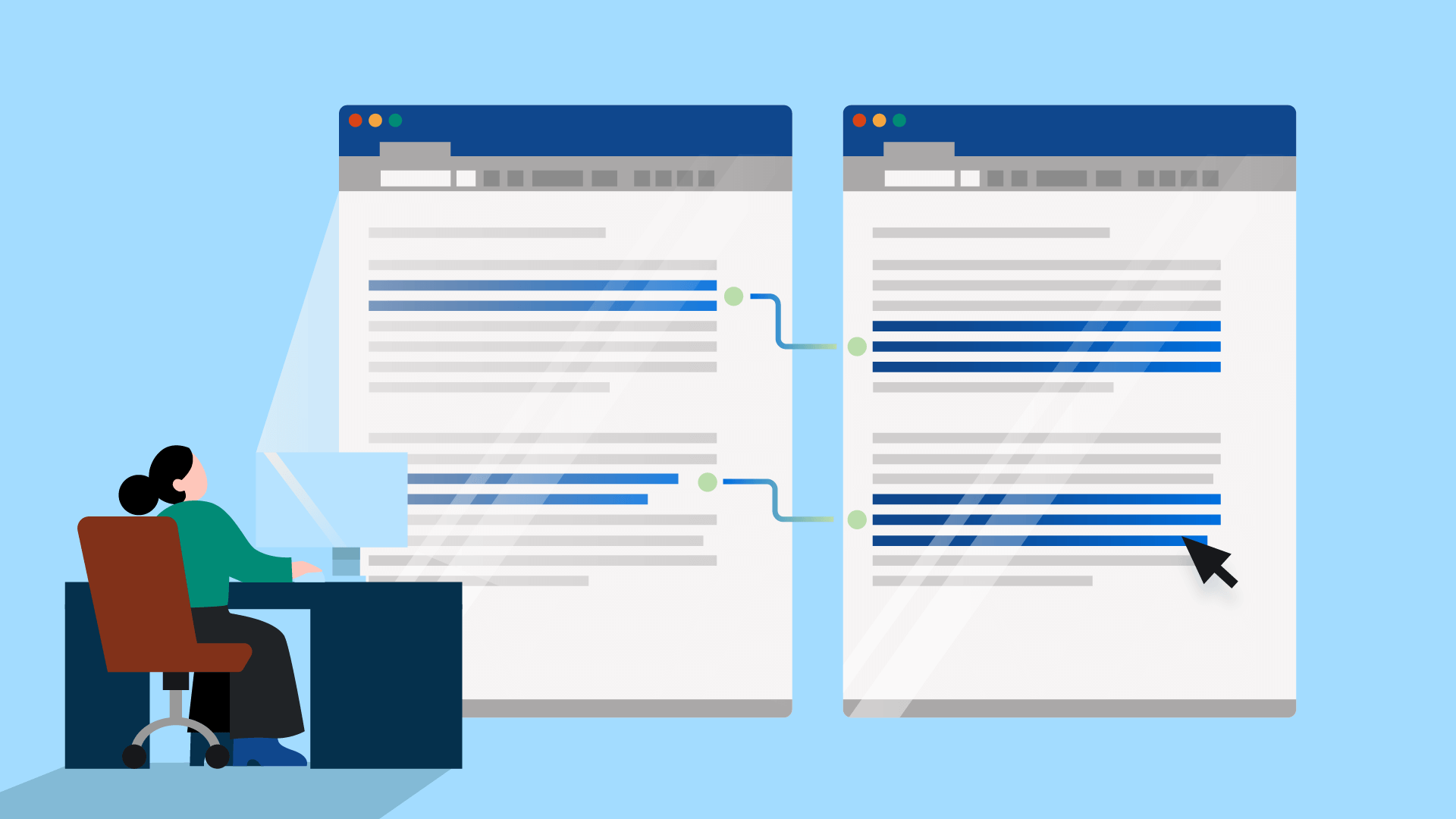
Engagement letters, demand letters, and standard agreements all follow a pattern. This workflow pulls client and matter data into a pre-built template, with conditional logic handling details like clause selection.
You’d start by building templates with merge fields in your document automation tool—or let AI do the heavy lifting. Clio Draft can convert your existing Word files into reusable templates in minutes. And because it integrates with Clio Manage, client and matter data populate automatically, so you’re not starting from scratch or retyping information.
11. E-signature routing
Once a document is finalized, you can send it to one or multiple signers directly from your practice management system, without anyone managing the chain by hand.
To build this, you’d connect your document management system to an e-signature provider, or use a platform where it’s already included. E-signatures are built into your subscription with Clio. You select the documents, add the signers, set the order if needed, and send. Signed copies are stored back in the matter file automatically, with a clear audit trail showing who signed what and when.
12. Review reminders
Set a due date on any review task, and the assigned person gets notified when it’s coming up or overdue. You’d configure this at the task level in your practice management system. In Clio Manage, task reminders are built into the task template system, so they’re part of the workflow from the start. These delays are easy to overlook, but they’re often the reason a matter that should have wrapped up in weeks stretches into months.
Billing and payments

13. AI-generated invoices
When a billing cycle closes, AI can pull tracked time and expenses into a draft invoice, clean up typos, refine the descriptions for client-facing clarity, and route it to the right person for approval.
To make this work, your billing system needs access to your time entries and expense records. Manage AI handles this end to end. It generates draft invoices from tracked time, polishes the line-item descriptions, and routes them through your firm’s workflow approval.
14. Automated payment tracking
When a client is set up on a payment plan or third-party financing, each installment is recorded and reconciled automatically as it comes in. To build this, your payment processor needs to sync with your billing system so incoming payments update balances without manual entry.
Clio Payments handles this within Clio Manage. You can set up recurring payment plans that automatically charge at specified intervals and record each transaction against the right matter. You don’t have to log payments manually or chase down whether the last one cleared. The system handles the bookkeeping so you can see at a glance who’s current and who’s behind.
15. Trust accounting safeguards
You can set your system to alert the responsible attorney when a trust balance needs attention. Every deposit, withdrawal, and transfer is logged automatically, creating the kind of clean audit trail that makes reconciliation straightforward and keeps you on the right side of your bar’s trust accounting rules.
To automate this, you’d configure balance thresholds and alerts in your trust accounting system. In Clio Manage, evergreen trust management sends a notification when a trust account drops below a set amount. Plus, every transaction is logged automatically with built-in reconciliation tools that let you match trust records directly against your bank statements.
See an all-in-one law firm operating system
From intake to invoicing, Clio centralizes your cases, documents, and billing into one secure platform. Discover why hundreds of thousands of legal professionals rely on it for their daily work.
See Clio in action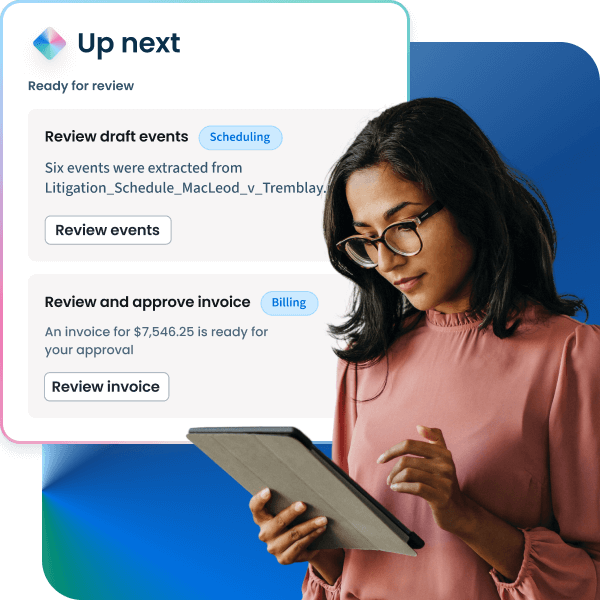
Best practices for workflow automation in law firms
Any of these recipes can save your team time. But for workflow automation at law firms to stick, it needs to be rolled out with some care. Automating everything at once tends to create problems, and once your team loses trust in a system, earning it back is hard. These five principles will help you avoid that:
- Start with the tasks you’re tired of doing. If your team does something the same way every time and secretly resents it—whether it’s intake confirmations or invoice generation—that’s your first candidate. Automate one process, let your team feel the difference, and the second one sells itself.
- Standardize before you automate. When your intake process looks different depending on who handles it, automating it just locks in the inconsistency. Get the steps documented and agreed upon across your team first, because a messy workflow doesn’t get better when it runs faster.
- Keep humans in the loop where it counts. Automating a reminder email is fine. Automating a client communication that touches case-specific legal advice without review is a different story. Automation shouldn’t make decisions that require a lawyer. Draw a clear line in each workflow between what can run untouched and what needs a set of eyes before it goes out.
- Train your team, not just your software. People who don’t understand a new system won’t trust it, and they’ll find ways to work around it. Walk your staff through what changed, why, and what to do when something looks off. The investment upfront pays for itself in adoption.
- Review your workflows regularly. Your practice several months from now won’t look exactly like it does today. Set a quarterly check to look at what’s running and whether it still fits. A workflow that made sense in January might be creating friction by July, and nobody will notice unless someone is specifically looking.
Best workflow automation software for law firms
Once you know what to automate and how to roll it out, the remaining question is where it all lives. Most firms end up evaluating a mix of legal practice management platforms, document automation tools, AI-assisted workflow tools, and client intake or CRM systems. The problem with using a different tool for each is that client data ends up scattered, you spend half your time toggling between dashboards, and something important inevitably slips through.
The best workflow automation software for law firms is the one your whole firm will use. That usually means a single system where intake, matter management, documents, billing, and AI all live together. When a workflow can carry information from one step to the next without anyone switching tabs or wondering whether the data made it across, automation just becomes how the firm runs. For solo practitioners and small firms, consolidating also means fewer subscriptions and less overhead.
Building these workflows in Clio

Most of these recipes are things you can set up directly inside Clio, where practice management, intake, document automation, and AI work together in one connected platform.
Where Clio goes even further is in how AI connects to these workflows. Its suite of tools can turn court documents into calendar events, draft client updates from matter activity, and generate invoices from tracked time, routing them to the right approver automatically. Its document automation can also convert your existing files into reusable templates and assemble complete document sets in minutes. What sets Clio apart for firms evaluating the best AI tools for law firm workflows is that nothing is bolted on. The AI, the automation, and the work all live in the same place.
If you’re not sure where to start or want help configuring a workflow for your firm, Clio’s support team is available to walk you through it. And for larger teams and enterprise legal departments, Clio for Enterprise adds the permissions, controls, and reporting needed to run these workflows at scale.
The final word on law firm automation workflows
Most firms that succeed with law firm automation workflows don’t start by reworking everything at once. They pick one or two that solve an immediate problem, get comfortable with how they work, and continue from there. The 15 recipes in this article give you plenty of options, but the best one to start with is whatever is costing your team the most time this week.
From there, it’s gradual. You add a workflow, your team gets an hour back. You add another, and a whole category of follow-ups stops requiring anyone’s attention. Over a few months, the practice starts to feel different. The repeatable work takes care of itself, and you spend more of the day on the clients and cases that need you.
Law Firm Automation Workflows FAQs
What is the best workflow automation for law firms?
The best workflow automation for law firms is built into the platform where you already manage matters, documents, billing, and client communication. That way, workflows run inside your legal work rather than alongside it.
Is workflow automation affordable for solo and small law firms?
Yes. Many affordable workflow automation solutions for law firms are included in practice management platforms that solo practitioners and small teams already use, so there’s no need for additional tools or subscriptions.
What workflow tasks can law firms automate?
Law firms can automate workflows across five categories: client intake and onboarding (intake confirmations, conflict checks, matter creation), client communication (consultation reminders, case status updates, bill reminders), matter management (task checklists, deadline alerts, stage automation), document workflows (template generation, e-signature routing, review reminders), and billing and payments (AI-generated invoices, payment tracking, trust accounting safeguards).
Where should law firms start with workflow automation?
Start with the tasks the team is tired of doing: repetitive work that’s the same every time and quietly resented, like intake confirmations or invoice generation. Automate one process, let the team feel the difference, and the second sells itself. The best place to start is whatever is costing the team the most time this week.
What's the difference between automation and AI in law firm workflows?
Automation handles the sequencing: triggers and steps that move work forward without anyone pushing it. AI goes further within the workflow by summarizing case details, drafting client communications, or helping lawyers get up to speed on a matter without rereading the entire file. Automation keeps things moving; AI helps the team move faster within each step.
What are the best practices for rolling out workflow automation at a law firm?
Five principles: start with the tasks the team is tired of doing rather than automating everything at once; standardize the process before automating (automating a messy workflow locks in the mess); keep humans in the loop for anything requiring legal judgment; train the team, not just the software; and review workflows quarterly so they keep fitting the practice.
What client intake tasks can be automated at a law firm?
Three intake recipes: instant intake confirmations (the system sends a confirmation email with next steps and a booking link when a potential client submits an online form), conflict checks at the point of intake (each new intake triggers a scan of existing records to flag conflicts), and one-click matter creation (client information flows into a new matter with practice area and tasks preconfigured).
What document workflows can law firms automate?
Three document recipes: template-based document generation (engagement letters, demand letters, and standard agreements pull client and matter data into pre-built templates with conditional logic for clause selection), e-signature routing (finalized documents sent to one or multiple signers from the practice management system), and review reminders (notification when a review task is coming up or overdue).
How can law firms automate trust accounting safely?
Set the system to alert the responsible attorney when a trust balance needs attention, and configure balance thresholds and alerts in the trust accounting system. Every deposit, withdrawal, and transfer is logged automatically, creating a clean audit trail that makes reconciliation straightforward and keeps the firm on the right side of bar trust accounting rules.
See an all-in-one law firm operating system
From intake to invoicing, Clio centralizes your cases, documents, and billing into one secure platform. Discover why hundreds of thousands of legal professionals rely on it for their daily work.
See Clio in action